In the digital age, high-quality images are crucial for websites, social media, and professional projects. However, we often encounter images with insufficient resolution, and traditional upscaling methods typically result in blur and distortion. Fortunately, the emergence of AI image upscaler technology has completely changed this situation. This article will explore in depth how to use AI image upscalers to enhance image quality, including technical principles, practical tips, and best practices.
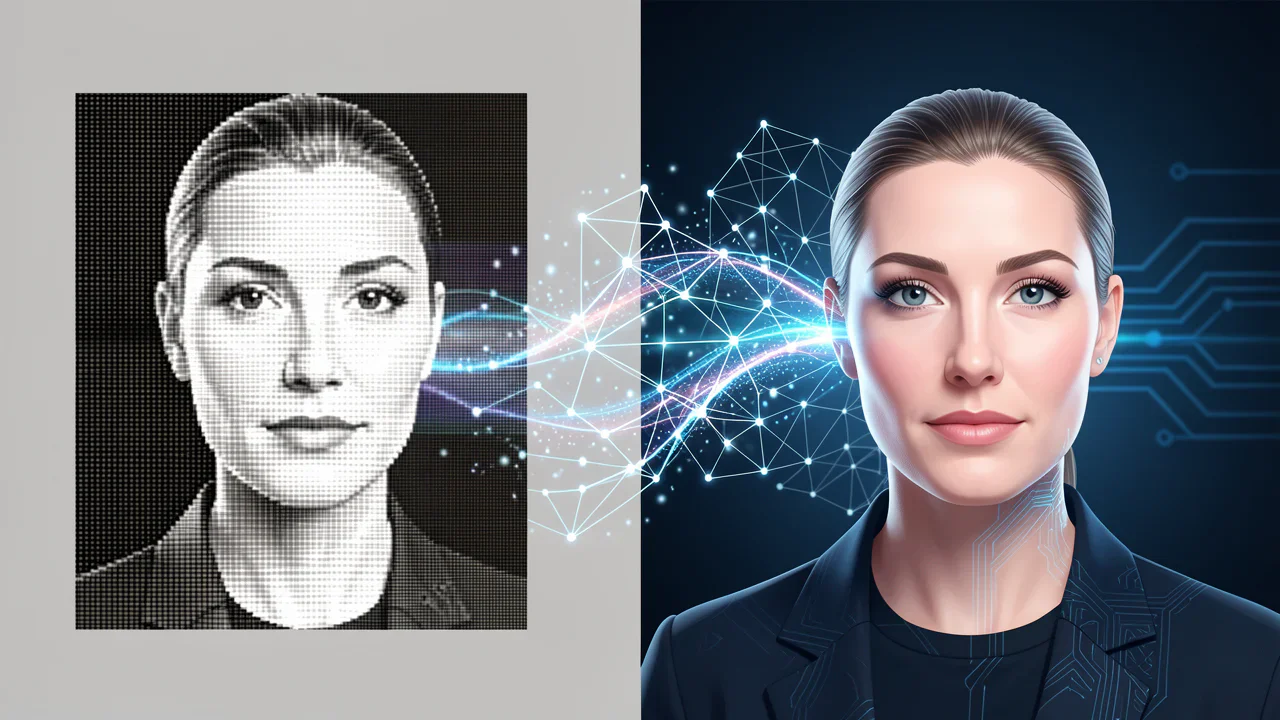
What is an AI Image Upscaler?
An AI image upscaler is an image processing tool based on artificial intelligence technology that uses deep learning algorithms to intelligently increase image resolution and improve image quality. Unlike traditional interpolation upscaling methods, AI image upscalers can:
Technical Principles of AI Image Upscalers
Super-Resolution Deep Learning Technology
The core technology of AI image upscalers is Super-Resolution deep learning. The working principle of this technology includes:
Convolutional Neural Network (CNN) Architecture
Modern AI image upscalers typically employ the following technical architectures:
How to Choose the Right Upscaling Resolution
When using AI image upscalers, choosing the appropriate target resolution is crucial:
1080P Upscaling (Suitable for Daily Use)
2K Upscaling (Balancing Quality and Efficiency)
4K Upscaling (Ultimate Quality)
Best Practices for Using AI Image Upscalers
Image Preparation Phase
- Ensure original image quality is as high as possible
- Avoid over-compressed JPEG images
- Recommend using PNG or high-quality JPEG formats
- Source images should not be too small (recommend at least 200x200 pixels)
- Control file size within 5MB to ensure processing efficiency
- Support mainstream formats like JPG, PNG, WEBP
Operation Process Optimization
- Confirm image format meets requirements
- Check if image has obvious damage or noise
- Estimate file size requirements after upscaling
- Choose appropriate target resolution based on purpose
- Consider balance between processing time and quality
- Allow sufficient processing time for important projects
- Carefully check upscaled image quality
- Compare original and processed results
- Confirm detail reconstruction meets expectations
Advantages of Z-Image AI Image Upscaler
Technical Advantages
Advanced AI Algorithms: Z-Image employs the latest super-resolution deep learning technology, capable of intelligently recognizing image content and providing targeted optimization.
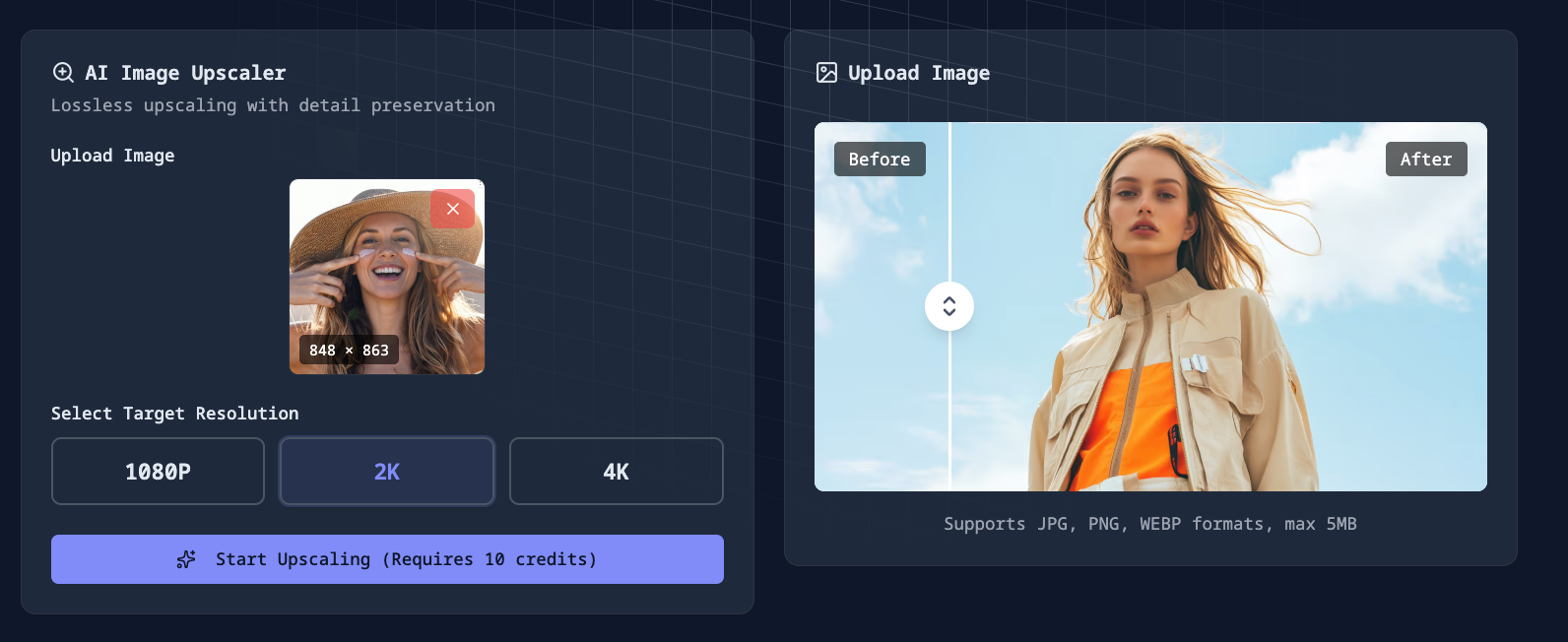
Multi-Resolution Support: Offers three upscaling options - 1080P, 2K, and 4K - to meet different scenario requirements.
Fast Processing: Optimized algorithm architecture ensures rapid processing speed while maintaining quality.
User Experience Advantages
Easy to Use: Intuitive interface design allows easy use without professional knowledge.
Batch Processing: Supports simultaneous processing of multiple images, improving work efficiency.
Real-time Preview: Provides before-and-after comparison preview, giving users intuitive understanding of effects.
Security and Privacy Protection
Data Security: All image uploads use SSL/TLS encrypted transmission to ensure data security.
Privacy Protection: Automatically deletes user-uploaded images after processing completion, protecting user privacy.
No Installation Required: Web-based online service requires no software download or installation.
Practical Tips and Recommendations
Optimization Strategies for Different Image Types
Portrait Photos:
Landscape Photos:
Product Images:
Common Problem Solutions
Processing Takes Too Long:
Unsatisfactory Results:
Application Scenarios for AI Image Upscalers
Professional Design Fields
Graphic Design:
Web Design:
Personal Use
Photo Restoration:
Social Media:
Commercial Applications
E-commerce Platforms:
Marketing Materials:
How to Get Started with Z-Image AI Image Upscaler
Quick Start Guide
Step 1: Access the Platform
Visit https://zimage.run and navigate to the image upscaler feature page.
Step 2: Upload Image
Step 3: Select Resolution
Choose target resolution based on your needs:
Step 4: Start Processing
Click the generate button, and the system will begin AI processing. Processing time typically ranges from 30 seconds to several minutes, depending on image size and target resolution.
Step 5: Download Results
After processing is complete, you can preview the before-and-after comparison effects, confirm satisfaction, and download the high-definition results.
Frequently Asked Questions (FAQ)
Q: What's the difference between AI image upscalers and traditional upscaling methods?
A: Traditional upscaling methods (like bilinear interpolation) simply increase the number of pixels, often resulting in blurry images. AI image upscalers use deep learning technology to intelligently predict and reconstruct image details, significantly improving image quality.
Q: How long does it take to process an image?
A: Processing time depends on image size and target resolution. Generally:
Q: What image formats are supported?
A: Z-Image AI Image Upscaler supports the most commonly used image formats, including JPG/JPEG, PNG, and WEBP. Maximum file size supported is 5MB per image.
Q: Is using AI image upscaler safe?
A: Yes, it's very safe. All image uploads use SSL/TLS encrypted transmission, and the system automatically deletes user-uploaded images after processing completion, fully protecting user privacy.
Q: Can I process multiple images in batches?
A: Yes, Z-Image supports batch processing functionality. You can upload multiple images at once for processing, greatly improving work efficiency.
Conclusion
AI image upscaler technology represents a major breakthrough in the field of image processing. Through deep learning and super-resolution technology, we can now intelligently enhance low-resolution images to higher quality without the blur and distortion issues of traditional methods.
Z-Image AI Image Upscaler, as an excellent implementation of this technology, provides:
Whether you're a professional designer, photographer, or regular user, AI image upscalers can help you easily enhance image quality and meet the needs of various usage scenarios.
Visit https://zimage.run now to experience the powerful features of AI image upscaler and breathe new life into your images!
Link
*Keywords: AI image upscaler, image quality enhancement, online image upscaling, super-resolution technology, deep learning image processing, lossless image upscaling, 1080P 2K 4K upscaling*